Make sense of your session
What your D&D table participation stats can tell you
Your session stats say one player spoke far less than the others. Before you plan a dramatic intervention, think back to the game. Did they miss half the session? Were they happily following the mystery? Did they keep trying to speak and get interrupted?
Participation stats give you a useful place to look. The next step is to check what happened, ask what the player wants and make one practical change if it would help. Here is how to do that without turning game night into a scoreboard.
Check what the number actually measures
Word share is someone’s attributed words divided by the total attributed words. Speaking-time share uses attributed speech duration instead. A quick speaker can account for more words in less time; a slower speaker can have the opposite pattern. Neither measure captures every contribution to the game.
A player who solves a puzzle in one sentence can change the whole session. Someone who tracks conditions, draws a map or helps another player may contribute without saying much. Chat messages and unrecorded conversations also sit outside a voice-based measure.
Recap Raven’s TTRPG Table Insights research separates these measures. Read the methodology before comparing your own numbers, then use the table comparison tool to explore session length, pillars of play and participation in our community research.
Use word counts for a word-share comparison and speech duration for a speaking-time comparison. Recording length includes pauses and other time when nobody is speaking.
Work through one session before judging a pattern
Here is an invented example. A GM and four players produce 20,000 attributed words in a session: 10,000 from the GM, then 4,000, 3,000, 2,000 and 1,000 from the players. The GM has 50% of all words. The quietest player has 5% of all words, or 10% of the players’ words.
Those last two percentages describe the same player with different totals underneath them. Comparing one with the other would make the gap look larger than it is. Keep the denominator consistent, especially when reading a player-only chart beside a GM-versus-player chart.
Now add context. The player with 1,000 words joined late and made the decision that saved the ferryman. Another player spoke for the party during a long negotiation. You may still want to check in, but the counts alone cannot tell you that anyone had a bad night.
- Check that the right people are identified as GM and players.
- Note anyone who arrived late, left early or had microphone trouble.
- Look at the scenes: negotiation, combat and exploration create different opportunities.
- Read the transcript around a moment you want to understand.
Compare with a similar game night
Start with your own recent sessions. A five-player combat night and a two-player investigation ask different things of the table. Keep track of who attended and what sort of scenes filled the evening before deciding that a change in percentages means a change in enjoyment.
The community player spotlight research adds context, but it describes the eligible Recap Raven sessions in the published data. It does not set a target for every TTRPG group. Check the group-size definition and the date beside the chart you use.
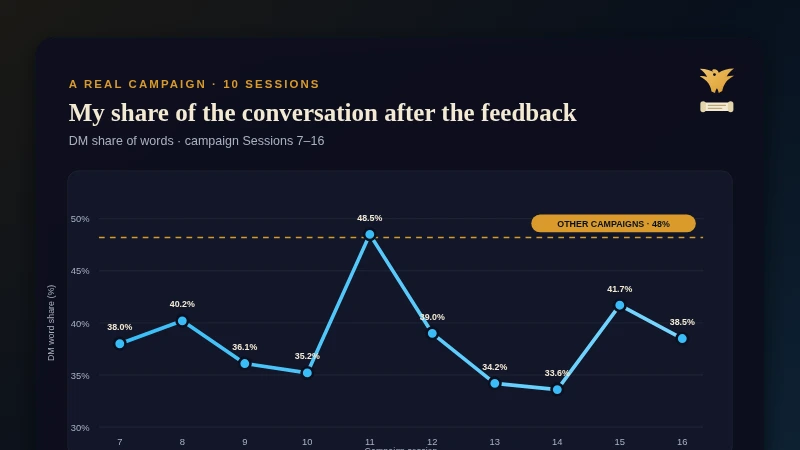
If your question is mainly about the GM’s share, read Rob’s account of measuring ten sessions after his players asked him to talk less. It shows why looking back at the actual scenes matters.
Ask privately before changing someone’s spotlight
A quiet player may want more chances to act, or may enjoy listening until the right moment. Ask without presenting their percentage as a problem they need to fix. Give them room to say they are happy with the game as it is.
Try: “I noticed the market scene moved quickly. Did you get the chances you wanted, or would you like me to make more room next time?” That points to a specific experience and lets the player choose the answer.
If they want more room, agree what would help. They might prefer a question about their character’s expertise, a moment to think before answering, or help breaking into a busy conversation. Avoid announcing their low word count to the group.
Which moment did you most enjoy?
Was there something you wanted to do but did not get the chance?
Would you like more direct invitations to act, or space to jump in yourself?
Is there one thing I could change next session that would help?
Choose one change for the next game
If a player wants more room during planning scenes, pause before the group commits and ask what their character thinks. If a confident player answers everything, ask them privately to help leave a gap. If a player prefers action to conversation, put an interesting choice in a scene they enjoy.
After the next game, ask whether that helped. A useful change might produce a higher word share, but it might also give someone one satisfying decision without changing their total very much.
Recap Raven includes words by speaker with Free recordings. Premium adds deeper session analytics and private GM feedback, so you can look at the session from more than one angle. Memory adds dedicated prep advice and campaign questions backed by transcript quotes and source links, helping you check the evidence behind a factual answer.
See the output in Showcase, then use the next-session prep guide to turn a useful observation into something you can bring to the table. AI feedback can miss context; keep your players’ own answers at the centre of the decision.
Recap Raven product examples. Click an image to enlarge.
Sources and method
Sources checked on 18 October 2026.
Frequently asked questions
What is a good player participation percentage in D&D?
There is no universal percentage. Group size, scene type, attendance and player preference all matter. Use your stats to spot questions worth asking, then ask whether players have the opportunities they want.
Does a low word count mean a player is bored?
No. They might be listening, thinking, contributing in chat or waiting for the right moment. Check for technical problems and ask privately whether they want more chances to act. Recap Raven’s words-by-speaker view gives you context for that conversation.
Are speaking time and word share the same thing?
No. Word share counts attributed words; speaking-time share uses attributed speech duration. Speaking pace changes the relationship between them. Compare the same measure and the same set of speakers each time.
Can I track D&D player participation for free?
Yes. Recap Raven includes words by speaker with Free recorded sessions. Premium adds deeper analytics and GM feedback, and a free Premium + Memory welcome session lets you try those features with your own Discord game.
Invite Recap Raven free to record your next Discord game and see how your table shares the conversation.
Free Tier includes 5 Standard sessions in your first 30 days, then 2 every 30 days, each up to 3 hours long, with best-effort multilingual support. A title, short summary and scenes, with basic AI and standard transcription quality. Premium adds richer recaps, PDF exports and GM insights; Memory plans add campaign Ask.